Photo cleanup for iPhone
Make room for what matters.
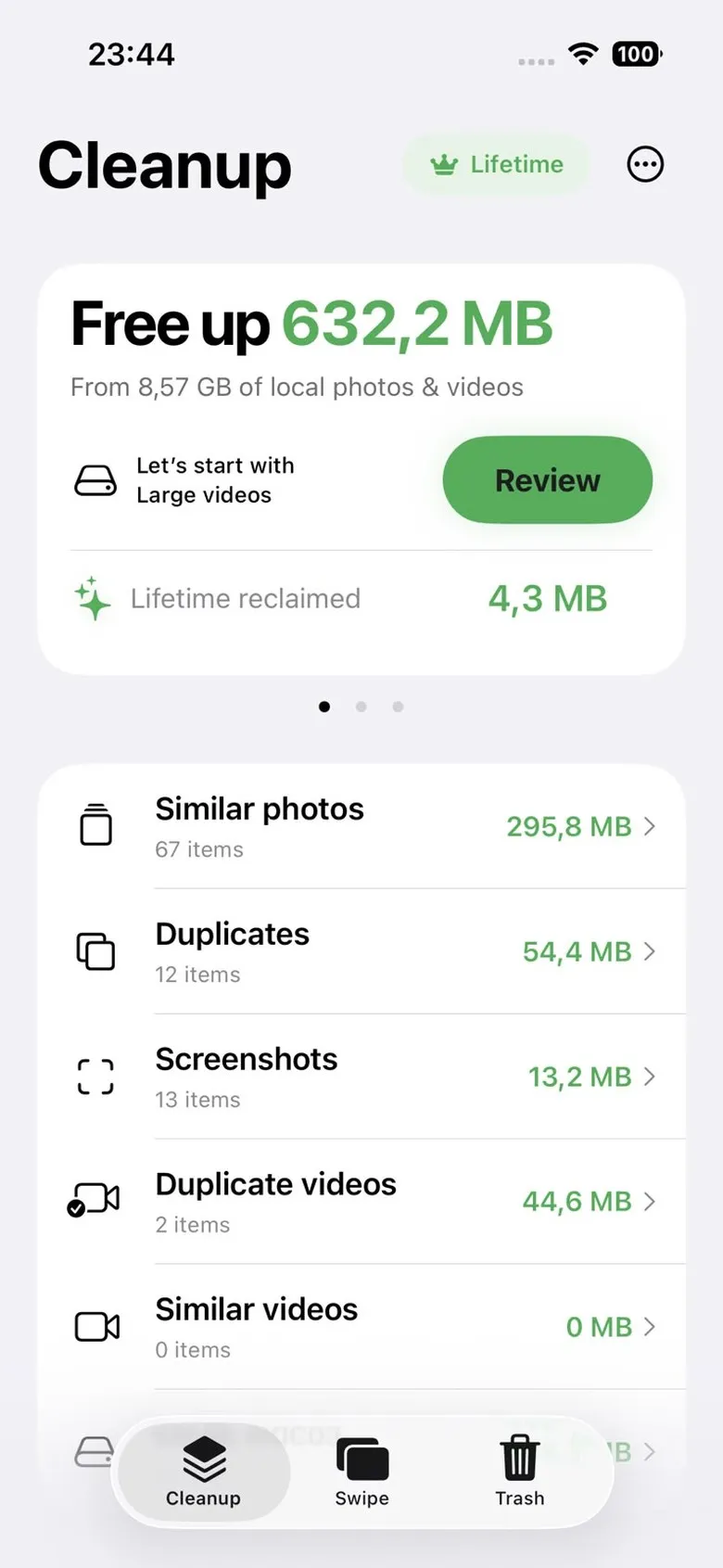
Klear finds the duplicates, near-identical shots, screenshots and heavy videos hiding in your library, then shows exactly how much space each one gives back.
Private by design
Your photos
never leave your iPhone.
No uploads. No cloud processing. Every scan happens right on your device.
Apple Vision
Look-alikes are spotted by Apple’s own Vision, built right into iOS.
GPU accelerated
Scans run on your iPhone’s GPU, so thousands of photos fly by.
Runs in the background
Start a scan, then get on with your day. Klear keeps going.
See for yourself
Nothing leaves your iPhone.
Open Details in the app and watch Klear work, live.
*Varies by iPhone model, and is slower in the background than with Klear open.
How it works
Scan. Review. Clear.
Scan.
Klear sorts the clutter into clear categories. Repeat scans are nearly instant.
library,
scanned.
Review.
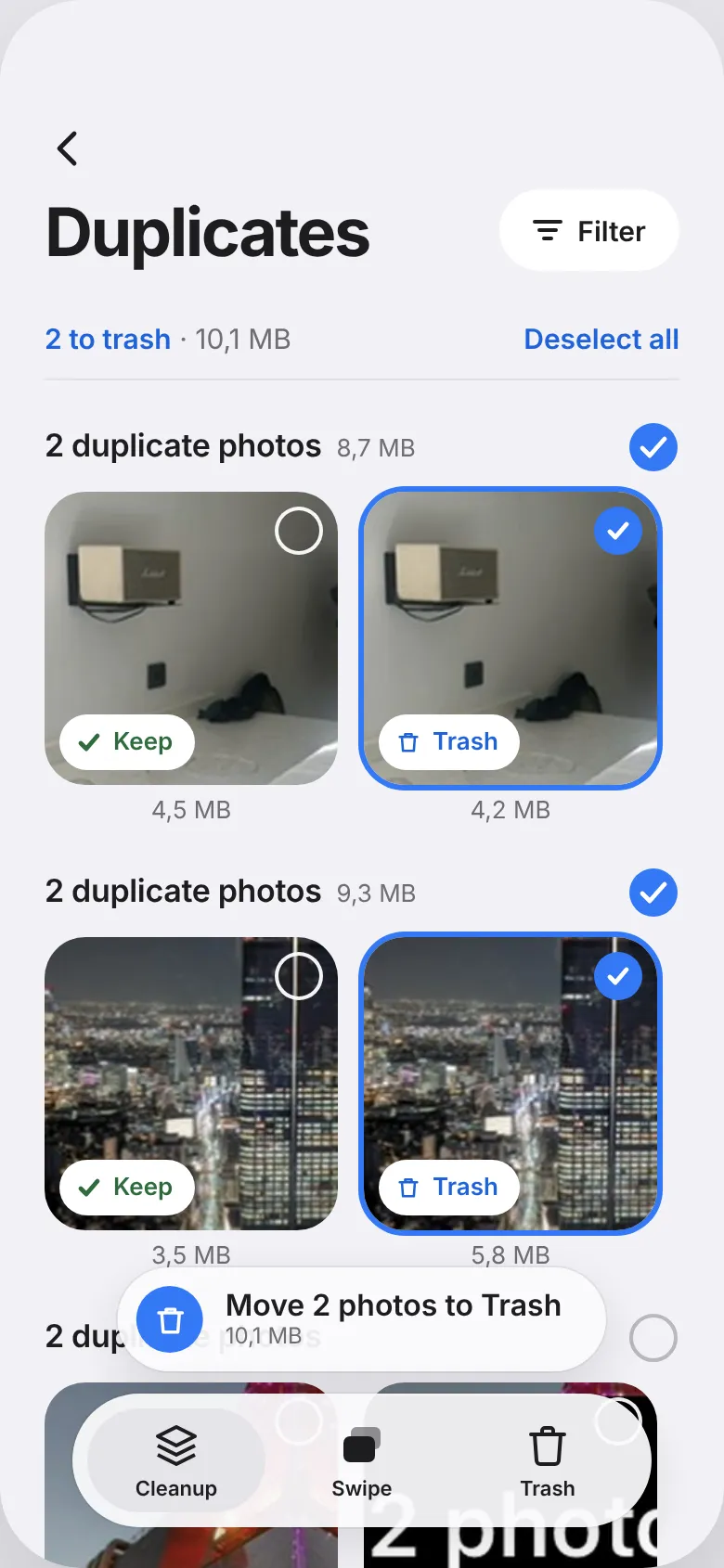
Pick what stays in each group, or swipe through your photos one at a time. Green keeps. Blue deletes.
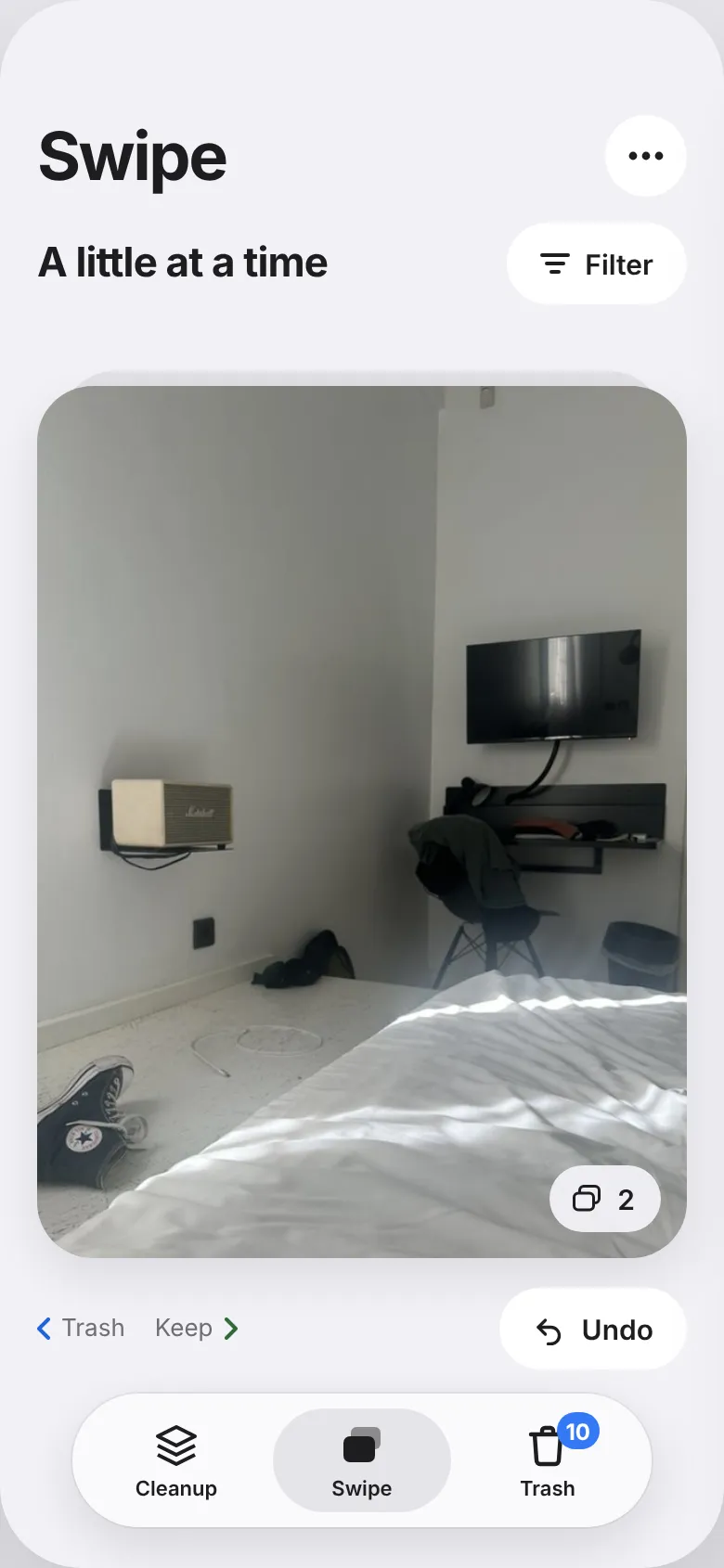
Clear.
Everything waits in Trash for one last look. Nothing leaves your library until you confirm.
Pricing
Pay once. Or not at all.
No subscription. Start free, and unlock Klear for good if you outgrow the weekly quota.
Free
For a tidy-up now and then.
A fresh gigabyte of cleanup every week, with the full Klear experience.
Lifetime
For a library that never stops growing.
One-time purchase. No limits, for as long as you use Klear.
Family
Coming soonShare Lifetime Access with your whole family.
One purchase, shared with up to 6 people through Apple’s own Family Sharing. No extra accounts, no extra app.
*Price shown in EUR. The App Store sets your local price and currency automatically.
FAQ
Frequently asked questions
No. Every scan runs on your iPhone using Apple’s own Vision and PhotoKit frameworks. Nothing is uploaded to Klear or to any external service. See the privacy policy for details.
Yes. Scanning, analysis, and reviewing your library all happen on your iPhone, with no internet connection needed. You only need one briefly to download the app or to complete an App Store purchase or restore.
If a photo or video is iCloud-only and hasn’t downloaded to your iPhone yet, Klear can’t analyze it and may leave it out of your results. Downloading the originals first, or enabling “Download Originals to this iPhone” in Photos settings, gives Klear the full picture.
No. Klear has no account and no cloud sync. Each iPhone scans and stores its own review history locally. On more than one device, you’ll review each library separately.
Klear is free to start, with 1 GB of cleanup every week. Lifetime Access removes that limit for a one-time €9 payment, with no subscription.
We only set one price, in euros. Apple converts it into your local currency and price tier automatically, so the exact number can differ slightly from the €9 shown on this site. The price you see in the App Store before you buy is always the one that applies.
In Klear, open Settings (the gear icon) and tap Restore purchases under Lifetime Access. You can also tap Restore purchases directly from the Unlock Lifetime screen.
It moves to Klear’s own Trash first. Nothing is removed from Photos yet. Clearing that Trash is a separate confirmation step, and even after that, Apple Photos keeps it in Recently Deleted for about 30 days before it’s gone for good.
All purchases are processed by Apple, so refunds go through Apple rather than us. You can request one at reportaproblem.apple.com.
Not right now. Klear is iPhone-only, built specifically around Apple’s Photos, Vision, and StoreKit frameworks.
Email support@getklear.app, or visit the contact page. It’s one developer reading every message.
Make room.
Your next memory deserves the space. Get Klear and clear the clutter today.
Download on the App Store